
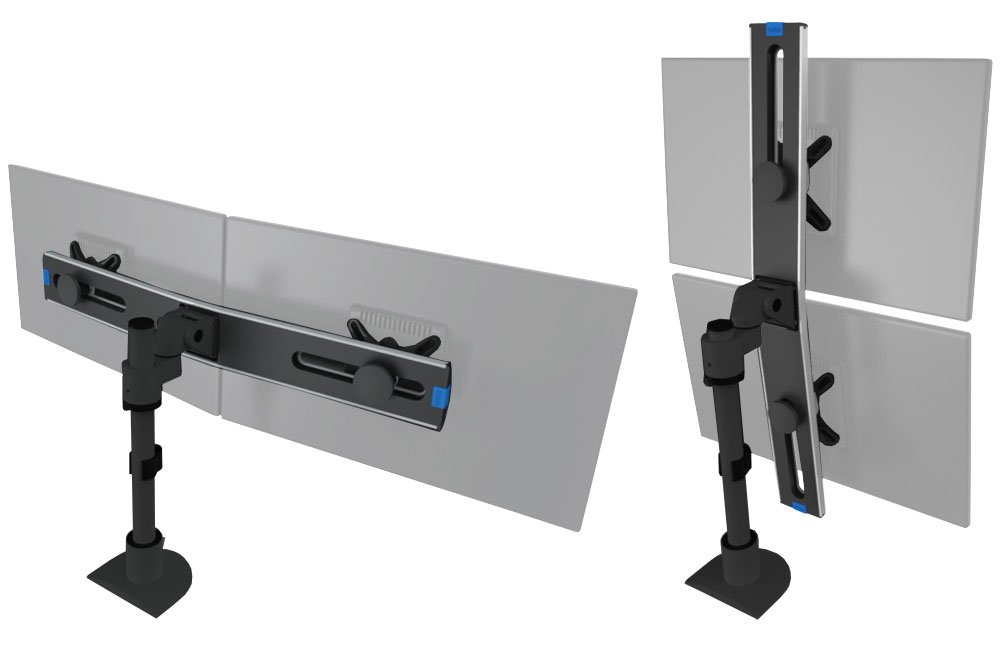
A dual monitor stand is a mounting system that holds two monitors simultaneously, either side-by-side or stacked vertically. These stands are typically compatible with VESA mounting standards and support different screen sizes and weights.
Most models allow users to adjust:
- Height
- Tilt and swivel
- Rotation (portrait or landscape)
This flexibility helps position screens for better viewing angles and comfort.
Types of Dual Monitor Stands
1. Desk Mount (Clamp or Grommet)
These stands attach directly to your desk using a clamp or grommet system. They are popular for saving desk space and providing strong support.
2. Freestanding Monitor Stands
Freestanding models sit on the desk without installation. They are easy to move and install but take up more space.
3. Vertical Dual Monitor Stands
These stack monitors on top of each other, ideal for coding, trading, or multitasking setups.
4. Articulating Arm Stands
These stands include flexible arms that allow independent movement of each screen for precise positioning.
Key Features of Dual Monitor Stands
Ergonomic Adjustability
Dual monitor stands allow users to adjust height, tilt, and angle, helping reduce neck strain and improve posture.
Space-Saving Design
By lifting monitors off the desk, these stands create more workspace for keyboards, documents, and accessories.
Strong Weight Capacity
Many stands support monitors between 13 to 30 inches and can hold up to 22 lbs per screen.
Cable Management
Built-in cable clips or channels keep wires organized, resulting in a cleaner setup.
Benefits of Using Dual Monitor Stands
Increased Productivity
Using two screens makes multitasking easier, allowing users to work on multiple applications simultaneously.
Better Organization
A single stand reduces clutter compared to using two separate monitor bases.
Improved Ergonomics
Proper screen alignment helps reduce eye strain and neck pain during long work sessions.
Professional Setup
Dual monitor stands create a modern and organized workstation, ideal for offices and creative professionals.
Dual Monitor Stand vs Separate Stands
Insights from users show clear advantages:
“Space-saving… easier to align… better cable management”
However, separate stands offer more flexibility for independent positioning. Therefore, your choice depends on your workspace needs.
Where Dual Monitor Stands Are Used
Dual monitor stands are widely used in:
- Corporate offices
- IT and programming setups
- Trading and finance desks
- Gaming stations
- Home offices
Because multitasking is essential in modern workflows, dual monitor setups are becoming increasingly popular.
Tips for Choosing the Right Dual Monitor Stand
- Check VESA compatibility (75×75 or 100×100 mm)
- Match screen size and weight capacity
- Choose adjustable arms for better ergonomics
- Consider desk space and mounting type
- Look for durable materials like steel or aluminum