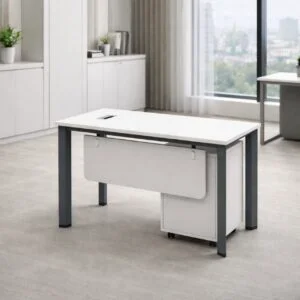
Shared Office Desks
Modern workplaces increasingly require furniture that supports collaboration while making efficient use of available space. Shared office desks provide a practical solution by allowing multiple employees to work within a connected workspace. They are especially useful for businesses that want to encourage teamwork, improve communication, and create flexible office environments.
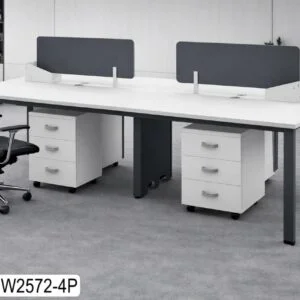
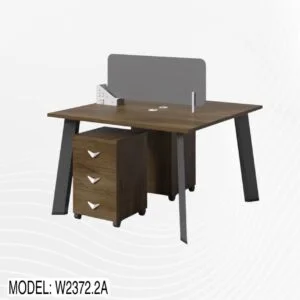
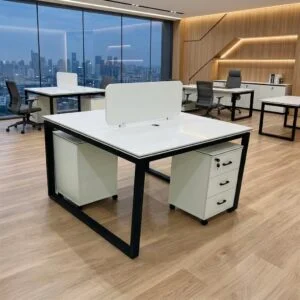
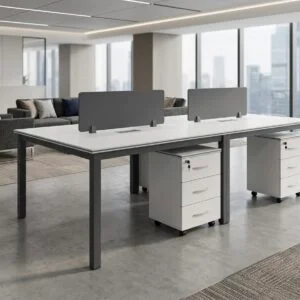
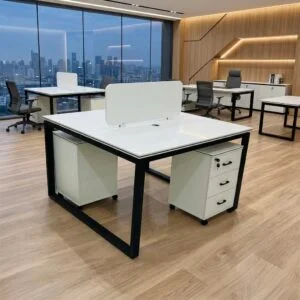
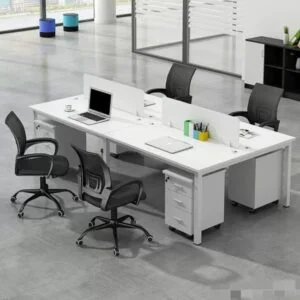
Shared desks can be designed for two employees, four employees, or larger teams depending on the office layout and requirements. They may include privacy screens, integrated cable management, storage solutions, and ergonomic seating to provide a balance between collaboration and individual focus.
In Saudi Arabia, flexible workspaces and shared desk environments are becoming increasingly common, with dedicated and shared desk options available across major business locations.
What Are Shared Office Desks?
Shared office desks are work surfaces designed to accommodate multiple employees in the same workstation area. Instead of giving every employee a completely separate desk, businesses can create connected workstations that use space efficiently.
Common configurations include:
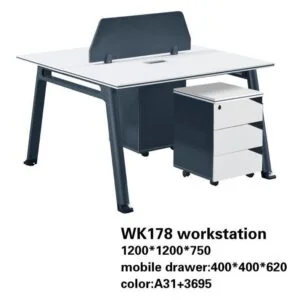
- Two-person shared desks
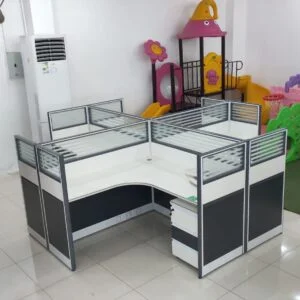
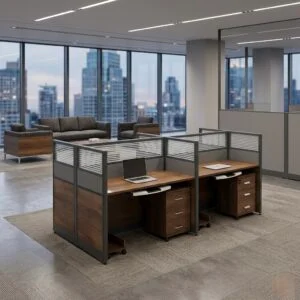
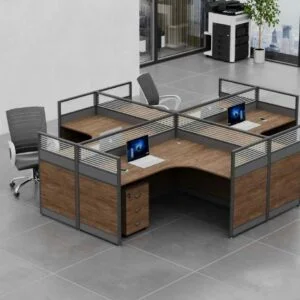
- Four-person workstations
- Six-person team desks
- Bench-style workstations
- Open collaborative desks
- Shared desks with privacy partitions
- Modular team workstations
- Technology-ready shared workstations
These designs are suitable for departments where employees regularly communicate or work together on common projects.
Why Shared Office Desks Matter
Traditional individual desks can require considerable floor space, particularly when businesses have large teams. Shared office desks provide an alternative by combining multiple workspaces into a coordinated furniture system.
They can help businesses:
- Maximize available floor space
- Encourage teamwork
- Improve communication
- Create organized workstations
- Support flexible office layouts
- Reduce unnecessary furniture
- Integrate technology
- Create a modern workplace appearance
A well-designed shared workstation can provide employees with their own working area while maintaining a sense of connection with the rest of the team.
Features of Quality Shared Office Desks
Spacious Work Surfaces
Each employee should have sufficient space for a computer, monitor, documents, stationery, and other essential equipment.
Privacy Partitions
Partitions can provide a degree of visual separation while maintaining an open and collaborative environment.
Cable Management
Integrated cable management helps organize power and computer cables and reduces clutter around shared workstations.
Durable Construction
Shared desks are used frequently, so durable surfaces and strong frames are important for long-term workplace use.
Modular Design
Modular furniture can be rearranged or expanded when team sizes or office requirements change.
Ergonomic Compatibility
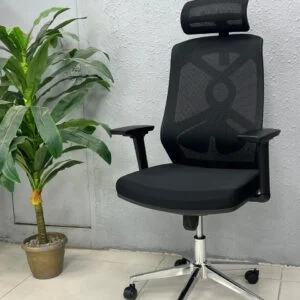
Shared desks should work effectively with ergonomic office chairs and suitable monitor positioning.
Benefits of Shared Office Desks
Better Space Utilization
Shared workstations allow multiple employees to work within a carefully planned area, making them useful for offices with limited floor space.
Improved Collaboration
Employees sitting within the same workstation can communicate quickly and exchange ideas more easily.
Cost-Effective Office Planning
Using shared workstation systems can help businesses reduce the amount of separate furniture required for a team.
Flexible Workspace
Modular shared desks can be rearranged according to changing departments, projects, and employee numbers.
Organized Technology
Cable management and coordinated workstation layouts can make it easier to manage computers, monitors, and charging equipment.
Modern Office Appearance
A coordinated workstation system can create a clean and professional office environment.
Types of Shared Office Desks
Two-Person Shared Desks
Two-person desks are suitable for small teams or employees who need to work closely together while maintaining individual work areas.
Four-Person Shared Workstations
Four-person configurations are useful for departments and project teams that require regular communication.
Six-Person Team Desks
Larger shared workstations can accommodate growing teams while maintaining an organized office layout.
Bench Workstations
Bench-style furniture creates continuous work surfaces that can accommodate several employees in a compact footprint.
Shared Desks with Partitions
These workstations combine collaboration with additional visual privacy. Modern collaborative workstation designs in Saudi Arabia can include privacy partitions, cable management, and customizable configurations.
Modular Shared Desks
Modular systems can be configured according to office dimensions and changed when workplace requirements evolve.
Shared Office Desks for Different Businesses
Corporate Offices
Corporate departments can use shared workstations for administration, sales, finance, HR, customer service, and project teams.
Technology Companies
IT and software teams can benefit from shared desks with spacious surfaces, cable management, and ergonomic seating.
Startups
Startups often need furniture that can adapt as their employee numbers increase. Shared workstations can provide a practical starting point for growing teams.
Government Offices
Administrative departments can use organized shared workstations to create efficient employee areas.
Co-Working Environments
Shared desks are particularly suitable for flexible workspaces where several professionals may use connected work areas.
Creative Agencies
Design, marketing, and media teams can use collaborative desks to encourage communication and project-based work.
Shared Office Desks Saudi Arabia for Modern Workplaces
Saudi businesses are increasingly adopting flexible workplace concepts. Shared and dedicated desk environments are available in cities including Riyadh, Jeddah, and Al Khobar, supporting businesses and professionals that require adaptable workspace arrangements.
For furniture planning, shared desks can similarly help organizations create workspaces that support teamwork without requiring completely separate desk systems for every employee.
The best solution depends on factors such as office size, number of employees, privacy requirements, technology, and the type of work being performed.
How to Choose Shared Office Desks
1. Consider the Number of Employees
Determine how many people will use the workstation before selecting a configuration.
2. Measure the Office
Check the available floor area and leave sufficient space for chairs and employee movement.
3. Decide on Privacy Requirements
Open desks may work well for highly collaborative teams, while partitions can provide additional individual focus.
4. Check Cable Management
If employees use multiple computers and monitors, integrated cable management can help keep the workspace organized.
5. Consider Storage
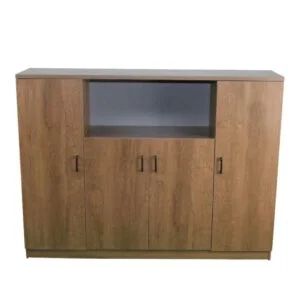
Storage pedestals, cabinets, and filing units can be incorporated into or positioned near shared workstations.
6. Plan for Future Growth
Modular furniture can make it easier to add workstations when the business expands.
Shared Office Desks and Employee Comfort
Collaboration should not come at the expense of employee comfort. Shared workstations should be paired with suitable ergonomic chairs and arranged to provide sufficient personal workspace.
Important considerations include:
- Comfortable seating
- Appropriate desk height
- Adequate legroom
- Suitable monitor positioning
- Sufficient workstation width
- Easy access to equipment
- Clear movement areas
A balanced workstation design can provide both the benefits of teamwork and the personal space required for focused work.
Shared Office Desks and Technology
Modern employees rely heavily on computers, monitors, phones, and other digital equipment. Shared office desks should therefore accommodate workplace technology efficiently.
Useful features can include:
- Cable trays
- Cable ports
- Power access
- Monitor space
- Charging points
- Network connections
- Under-desk management systems
Technology-ready furniture helps maintain a cleaner workspace and makes shared desks more practical for modern businesses.
Shared Office Desks and Office Design
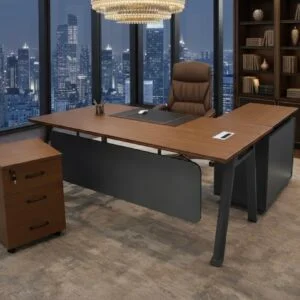
Shared desks can be combined with other office furniture to create a complete workplace environment.
Consider pairing them with:
- Ergonomic office chairs
- Filing cabinets
- Mobile pedestals
- Storage cabinets
- Conference tables
- Reception furniture
- Collaborative tables
- Acoustic partitions
A coordinated furniture system can create a consistent appearance throughout the office.
Why Choose Dhahban?
Dhahban offers modern office furniture solutions designed around comfort, durability, functionality, and contemporary workplace requirements. Its office furniture range includes workstations, office tables, ergonomic chairs, executive furniture, conference tables, and metal file cabinets.
For businesses planning shared workspaces, selecting coordinated workstations and complementary furniture can help create an organized and professional environment.
Dhahban can also provide furniture solutions based on the customer’s available space, preferred style, and functional requirements, making it suitable for businesses planning new offices or upgrading existing workplaces.
Frequently Asked Questions
What are shared office desks?
Shared office desks are workstations designed for multiple employees to use within the same connected workspace.
Are shared desks suitable for small offices?
Yes. Shared workstations can make efficient use of limited floor space while providing dedicated working areas for multiple employees.
How many employees can use a shared office desk?
The number depends on the design. Common configurations include two-person, four-person, and larger team workstations.
Do shared desks provide privacy?
Some shared desks include privacy partitions or screens. The appropriate design depends on how much individual focus and privacy employees require.
Are shared office desks suitable for growing companies?
Yes. Modular shared workstations can be particularly useful for businesses that expect their teams to expand or office layouts to change.
Contact Details
🌐 Website: https://dhahban.com/
📘 Facebook: https://www.facebook.com/dhahban
💬 Quick Booking on WhatsApp: https://api.whatsapp.com/send/?phone=966591476652&text&type=phone_number&app_absent=0
📞 WhatsApp: +966 59 147 6652
Contact Dhahban today to explore shared office desks and complete office furniture solutions for businesses across Saudi Arabia.
Related Posts
Premium Desk Chairs Saudi Arabia
Contemporary Office Furniture
Office Furniture Near Me Saudi Arabia
Adjustable Desk Saudi
Office Interior Furniture Medina
Collaborative Office Tables
Height Adjustable Tables

Office Furniture Discount Saudi Arabia
Office Fit Out Furniture Saudi Arabia
Office Space Furniture Saudi Arabia
Office Remodeling Furniture Saudi Arabia
Filing Cabinets Saudi Arabia
Office Future Furniture Saudi Arabia
Office Scalability Furniture Saudi Arabia
Office Furniture Compliance Saudi Arabia
Office Furniture Quality Saudi Arabia
Office Furniture Excellence Saudi Arabia
Office Health Furniture Standards Saudi Arabia
Office Seating Standards Saudi Arabia
Office Ergonomic Standards Saudi Arabia
Office Connectivity Furniture Saudi Arabia
Office Flexibility Furniture Saudi Arabia
Office Wellbeing Centered Furniture Saudi Arabia
Office Smart Workspace Saudi Arabia
Office Digital Workspace Saudi Arabia
Office Human Centered Furniture Saudi Arabia
Office Productivity Centered Furniture Saudi Arabia
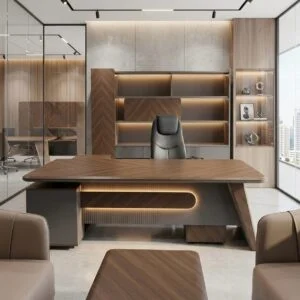
Office Performance Furniture Saudi Arabia
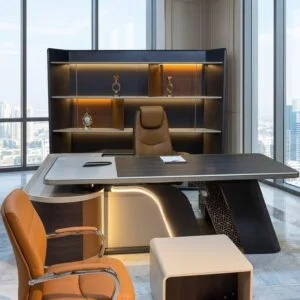
Office Growth Furniture Saudi Arabia
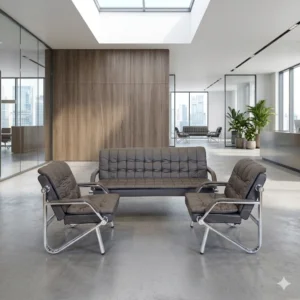
Office Intelligent Furniture Saudi Arabia
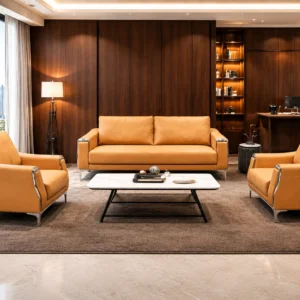
Office Advanced Furniture Saudi Arabia
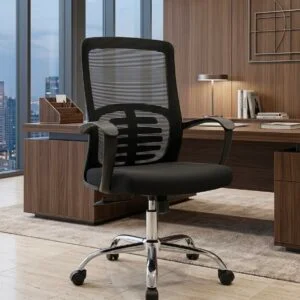
Office Chairs with Wheels Saudi Arabia
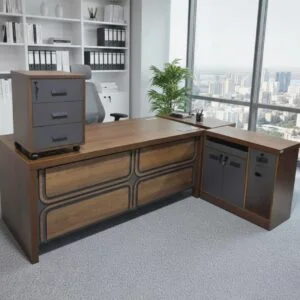
Office Upgrading Furniture Saudi Arabia
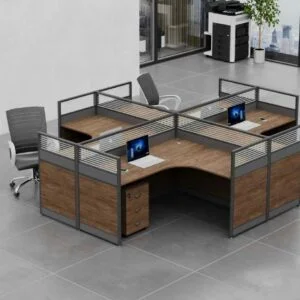
Team Tables for Office Saudi Arabia
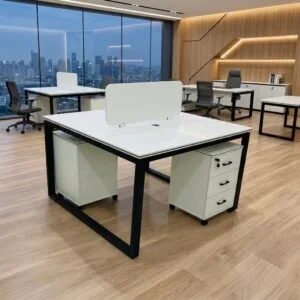
Office Architecture Furniture Saudi Arabia